
Add your ingredients
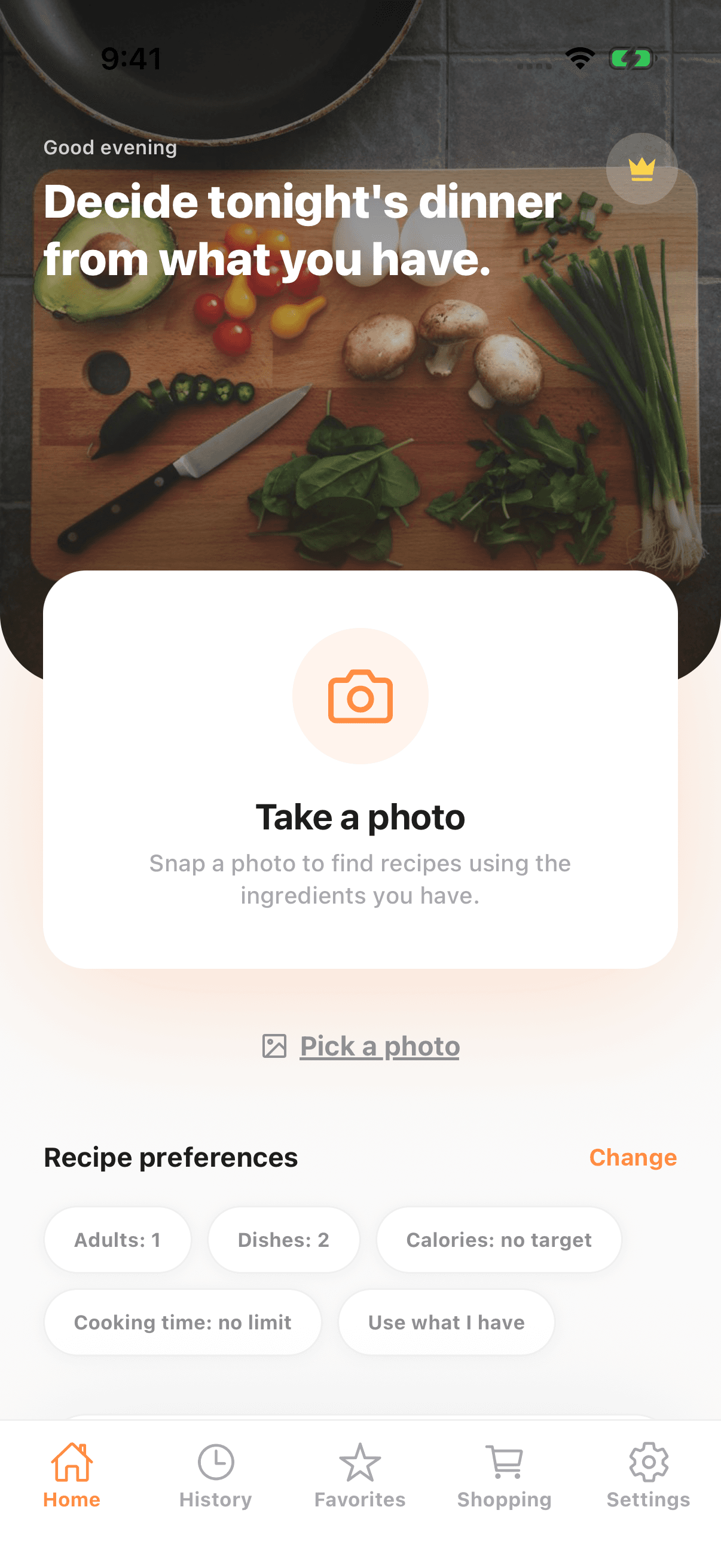
Take a photo or choose several from your library. Review the ingredients, correct mistakes and select what to use.
A little help with dinner
Snap the ingredients in your kitchen. Check what the AI found, then choose something you want to cook.
See how it worksStart with Free. Choose a paid plan when you need more.
SNAP. CHECK. COOK.
Take a photo or choose several from your library. Review the ingredients, correct mistakes and select what to use.
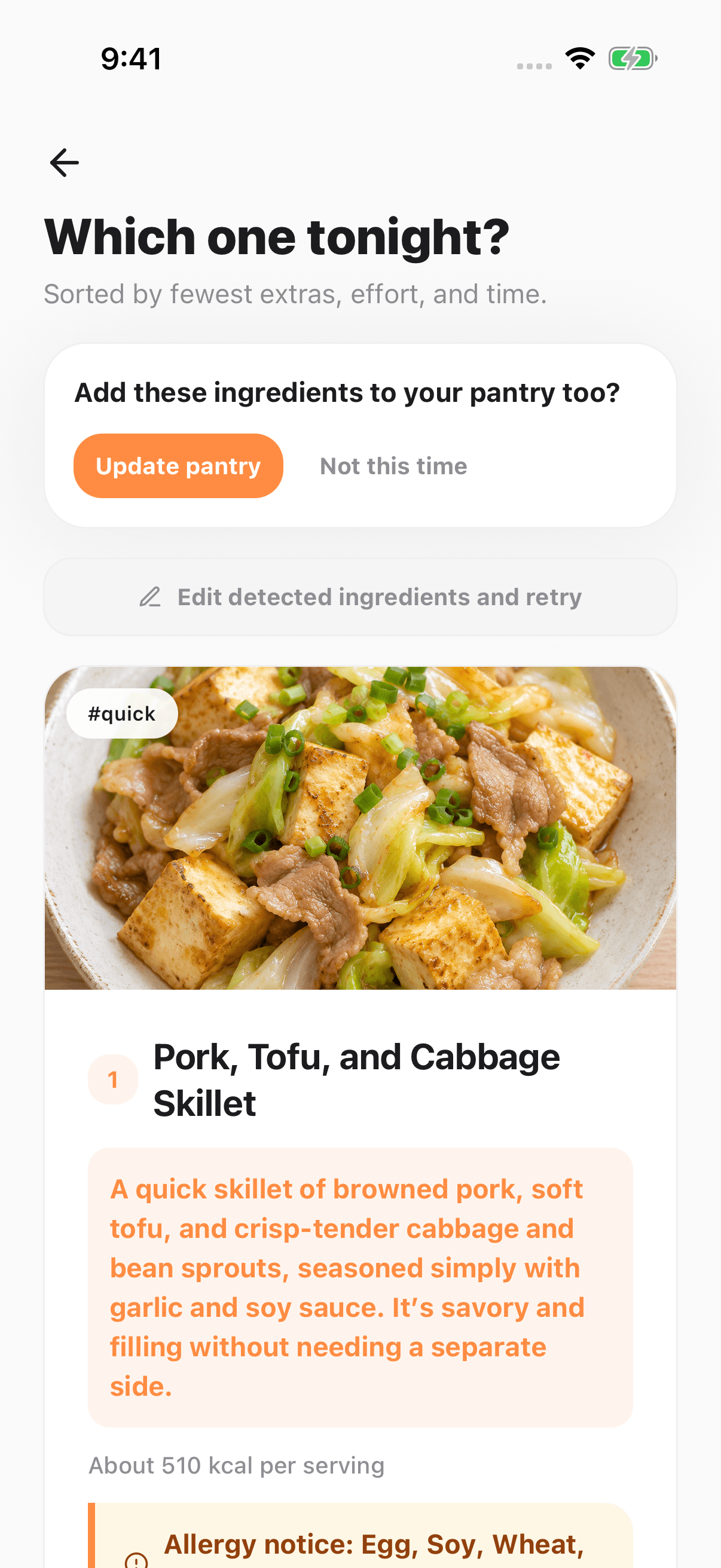
Get everyday cooking ideas for your selected region. Set foods to avoid, cooking time and the number of recipes.
Follow the steps, use timers and try optional voice controls. Start AI support when you want to ask a cooking question.
MAKE IT YOUR OWN
Choose your recipe language and region separately. US recipes use cups, ounces and °F; UK recipes use metric amounts and °C. Your choice of app language does not change your store account or subscription.
Save favourites and send missing ingredients to your shopping list. With Plus, set household servings, children’s ages and a request for what you feel like eating.
Compare Free, Starter and Plus →HANDS BUSY?
Try “What should I do next?” or ask about a substitution. Voice is optional, and you can still use the on-screen steps and controls.
Each AI support use covers one recipe for up to 30 active minutes. Free and Starter share an initial five uses; Plus includes 30 uses a day.
How AI support works →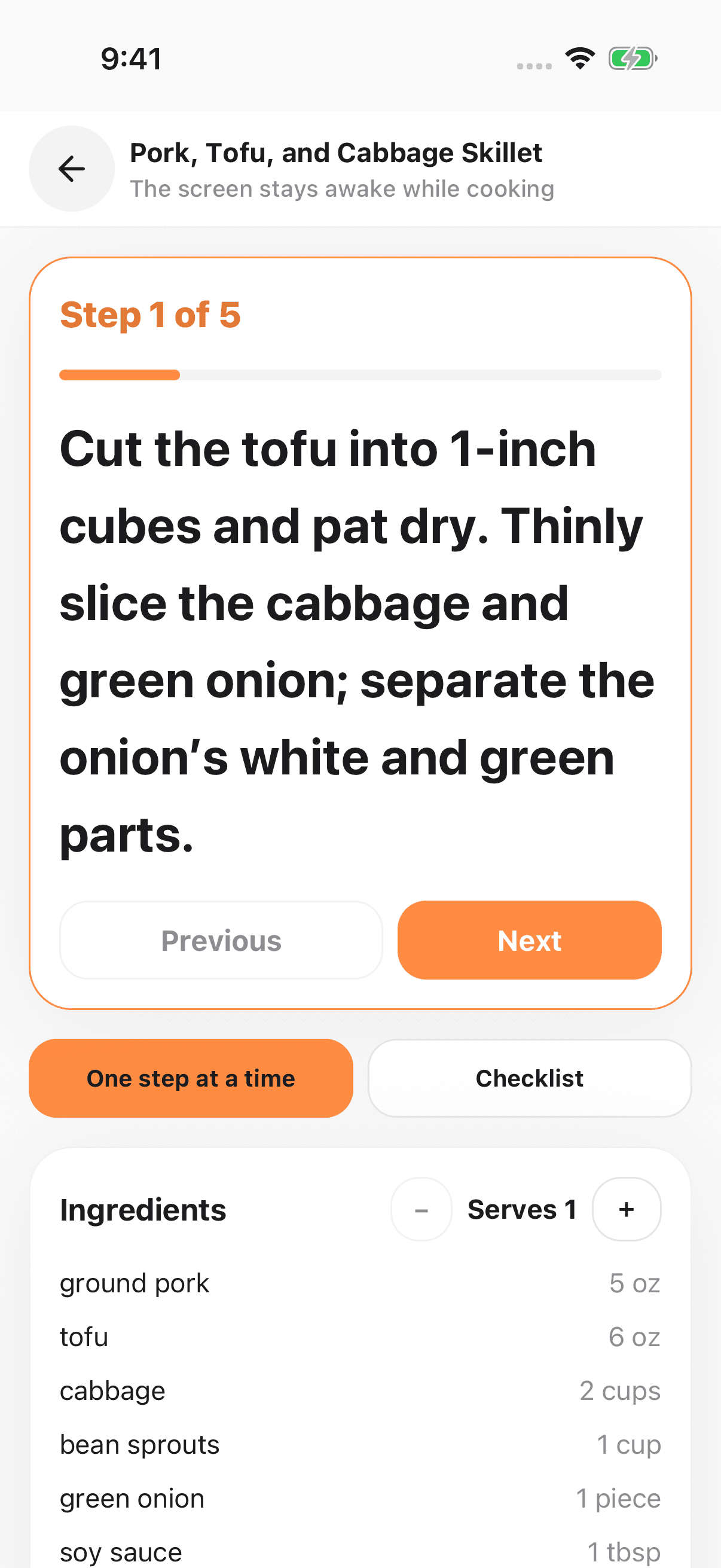
A FEW THINGS TO KNOW
Yes. Free includes six photo scans a day and up to two recipes per generation, with no daily recipe-generation count limit. Optional rewarded ads can add three photo scans. Ads may be unavailable.
Starter and Plus hide ads on regular screens and at launch. Ads may still appear while ingredients are being read or recipes are being created.
AI can make mistakes. Set foods to avoid, then check every product label and the actual ingredients. Recipe warnings cannot guarantee allergen safety.
Visit Help & contact for troubleshooting, subscription help and data or account deletion.
SNAP & SIMMER
The app is currently public in Japan as パシャレシピ. The English international release is in testing and is not yet public.
AI-generated recipes and nutrition estimates may be inaccurate. Check ingredients, allergens, doneness and food safety yourself. An internet connection is required.